

Skip to content
New Academy Launch Offer Ends in 0 days --:--:--

Learn Videography and cinematic lighting
and get 7 tools that carry your project from the brief to the invoice

You learn the craft from the ground up: choosing your gear, setting up the camera and placing the lights until the frame truly looks cinematic. And you see it all on real shoots behind the scenes, step by step, as if you were on set with us.

Alongside the courses you get 7 tools that work with you on every project: the client brief, the shot list, a camera and lighting simulator, a colour palette, captions, project costs and profit, and invoices and quotes. Learn, shoot and price your work in one place.

Join NOW
Rated 4.9/5

Practical content, never boring

Behind the scenes of real projects

Your real problem

  • Learning by trial and error

    It's one of the best ways to learn, but it takes years to master any skill. With everything changing every day you won't keep up, and you'll lose a lot of time without well-paid work that keeps you secure and lets you invest in your skills again.

  • No signature style

    You shoot video, but without a style of your own you're like many others in the field. The client sets the price, and if you raise yours they'll simply hire someone else.

  • Not enough hands-on practice

    Trying professional gear is expensive: buying it costs a lot and renting it does too, which limits what you can do with equipment you've never explored.

  • Closed sets

    Most productions are confidential, so filmmakers can't show what happens behind the scenes and the full experience of a shoot is never passed on.

  • Free content falls short

    There are thousands of free videos on YouTube, but when you try it yourself you hit strange problems nobody showed, and worst of all you can't tell where the problem is.

  • Scattered sources

    Learning from many sources scatters you. Without an artistic point of view and a philosophy of your own, your work stays average or acceptable and never becomes professional.

The complete solution

Everything you need to become a pro in video, in one place

  • +100 videos

    Practical, no filler

    More than 100 practical lesson videos without a boring minute or useless extras. We were so careful we used lots of L and J cuts so we don't waste a frame, let alone a second, of your time.

  • POV PROJECTS

    A trip behind real scenes

    Imagine attending more than 6 real shoots, with the director standing next to you on location explaining it just to you, showing every detail he sees and how he thought it through, step by step. This isn't theory: I'm giving you all my secrets, things that cost me thousands of dollars and years of trying to learn.

  • ONLINE COMMUNITY

    An exclusive community and follow-up

    Once you have everything explained down to the last detail, you practise lesson by lesson and share the challenges, problems and creative questions you ran into, and I guide and correct you at every stage of production so you get it right on your next shoot.

  • POV PROJECTS

    Professional colour secrets

    A set of professional colour-grading secrets I prepared from my own work and the projects I post on social media, made for you and ready to apply to your projects and videos to take them from an ordinary picture to a cinematic one.

Inside the system

A system of 9 courses that fit together

Not just recorded videos: a complete experience of visual pleasure and practical knowledge.

Gears 101

Gears 101: how to choose your gear

Learn to choose the right gear for every shoot and every location: from the camera and lenses, and how to mix the lenses you buy or rent to serve your work, to stabilisers like the gimbal and even the right computer for editing. You'll understand your gear, make the right choices and stop wasting money on equipment you don't need.
Video 101

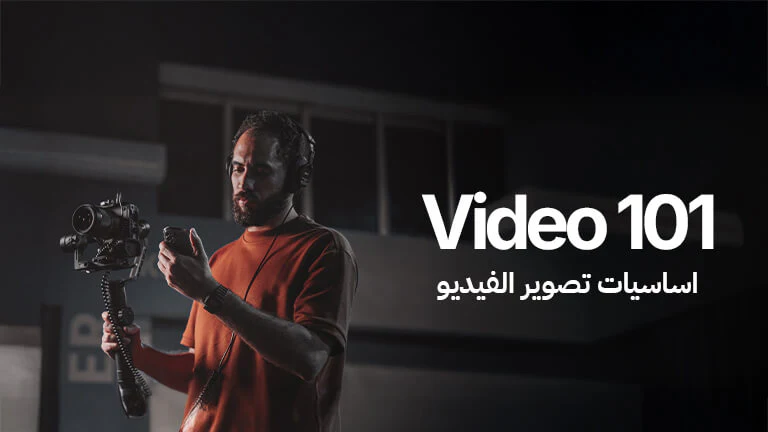
Video fundamentals

Every videographer's foundation is understanding the basics and the settings that shape the picture you shoot, like frame rate, shutter speed and white balance, and how to set up the camera properly for a cinematic image. Together we'll understand the exposure triangle and how to control the aperture and exposure for a balanced picture, then shooting in Log: why we use it and how to shoot it right to keep as much detail as possible.

Cinema Language

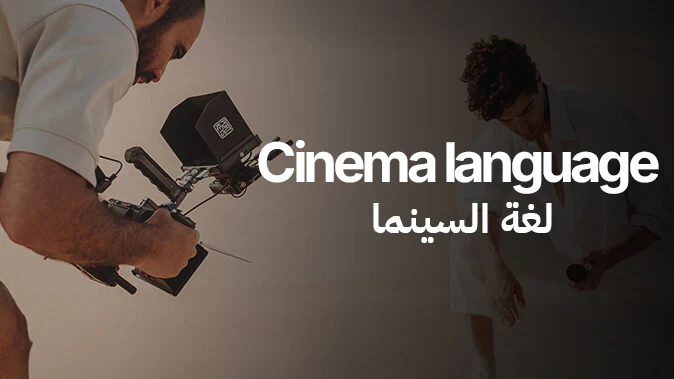
Cinema language

In this part you learn the language of cinema and how to build a visual scene on purpose. We cover camera angles and shot sizes and when to use each one to serve the story, then camera movement and how it adds motion and meaning to a scene, and shooting styles like gimbal and handheld and when each one fits. You'll also understand composition and blocking to arrange the frame for a balanced, strong scene. The goal is to start thinking in the language of cinema and building deliberate scenes, not random shots.

Pro Lighting

Professional lighting

And how light changes the picture and makes the real difference in its quality. You'll understand the types and sources of light and how to choose the right one for the scene and the look you want. You'll learn about the quality of light and how to control it with modifiers like softboxes, diffusers and grids, the difference between harsh and soft light and how each one shapes a scene. You'll also learn cinematic lighting styles used in films and ads, how to build lighting that serves the scene and gives it depth, and how to place several lights in the frame for a balanced, professional cinematic result. In the end you'll be able to think about light and control it on purpose… and shoot scenes with strong lighting that gives your work a professional cinematic feel.

Pro Audio

Recording sound

You'll learn the basics of recording sound professionally on set, because sound matters as much as the picture in any visual work. You'll understand the different types of microphones and when to use each one, how to record on set to get clear, clean sound without noise, the types of audio cables and what they're for, and how to connect the mic to the camera or recorder properly. You'll also understand the camera's audio settings and how to set them to avoid common problems. In the end you'll be able to record clean, professional sound that supports the picture and makes the final work complete.

Pre-Production

Pre-production

You'll learn how to plan a scene before the shoot starts: building a storyboard to picture the shots before you take them and a mood board to set the project's look and feel. You'll understand the value of visual inspiration in developing your eye and building stronger ideas, and learn to make a shot list that organises the shots and makes the shoot run smoothly. In the end you'll walk into any shoot with a clear plan that helps you work professionally and in order.

The Business Side of Filmmaking

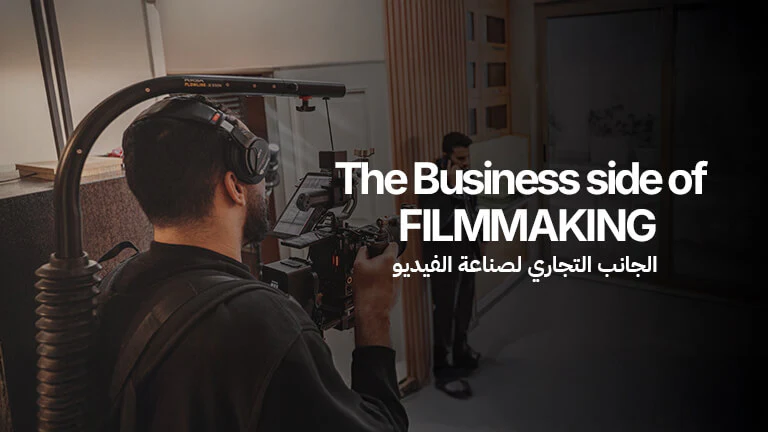
The business side of video

You'll learn how to turn video from creative work into a professional business with a steady income. You'll understand the market, the kinds of clients you can work with and how to define the services you can offer as a videographer. You'll learn to price your work properly, build a strong portfolio that shows your level and attracts clients, and communicate with clients and run shoots professionally, from the agreement to delivery. The goal is to understand how to build a clear career path in video and turn your skill into a real, lasting income.

POV Projects

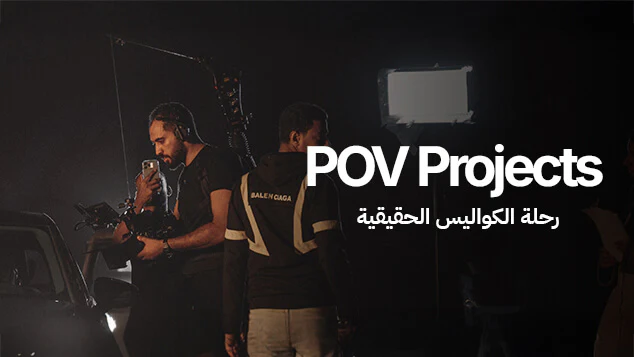
The real behind-the-scenes journey

In this part you go behind the scenes of real shoots that were made and published on social media. You live the whole experience behind each project, from preparation and planning through creative decisions and choosing the right gear, to lighting and the actual shoot on location. We follow what happens on set step by step, how challenges are handled and how an idea becomes a filmed scene. You'll also learn practical details traditional lessons rarely explain, like how to think while shooting, make quick decisions and deal with real conditions. The goal isn't just to see the result but to understand the full journey of making a video from the point of view of a videographer working on real projects.

AI Filmmaking

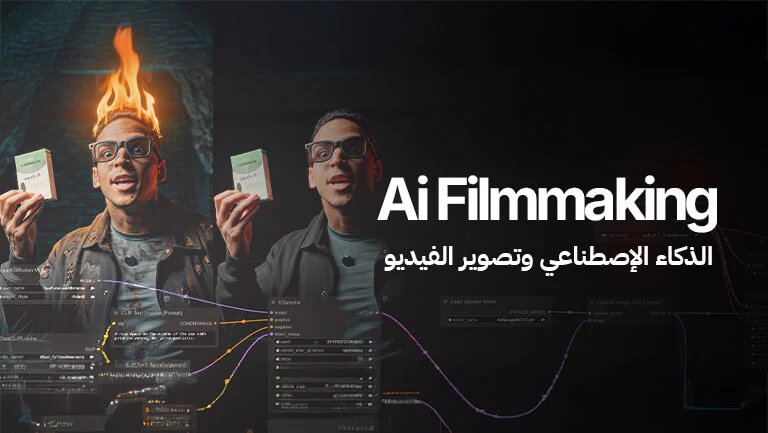
AI and video

We'll learn how to use AI tools in a practical, realistic way in professional video, and when to use them to develop ideas, build scenes, add visual effects and make the workflow faster and smarter. We'll look at the most reliable platforms and where each one fits best, and learn the basics of writing prompts and building clear instructions that get results closer to what we see in our heads. The goal isn't to replace the videographer but to help them produce with more awareness, more speed and more possibilities.

Video reviews

Watch their story

Real video reviews from Fooda Academy students telling their journey through the course.

  • Video review

    A student's review of the course

  • Video review

    A student's review of the course

  • Video review

    A student's review of the course

  • Video review

    A student's review of the course

  • Video review

    A student's review of the course

  • Video review

    A student's review of the course

  • Video review

    A student's review of the course

With your subscription

The platform's tools

Tools we built for a videographer's actual work: price a shoot, practise camera and lighting, invoice a client, and spend less time editing.

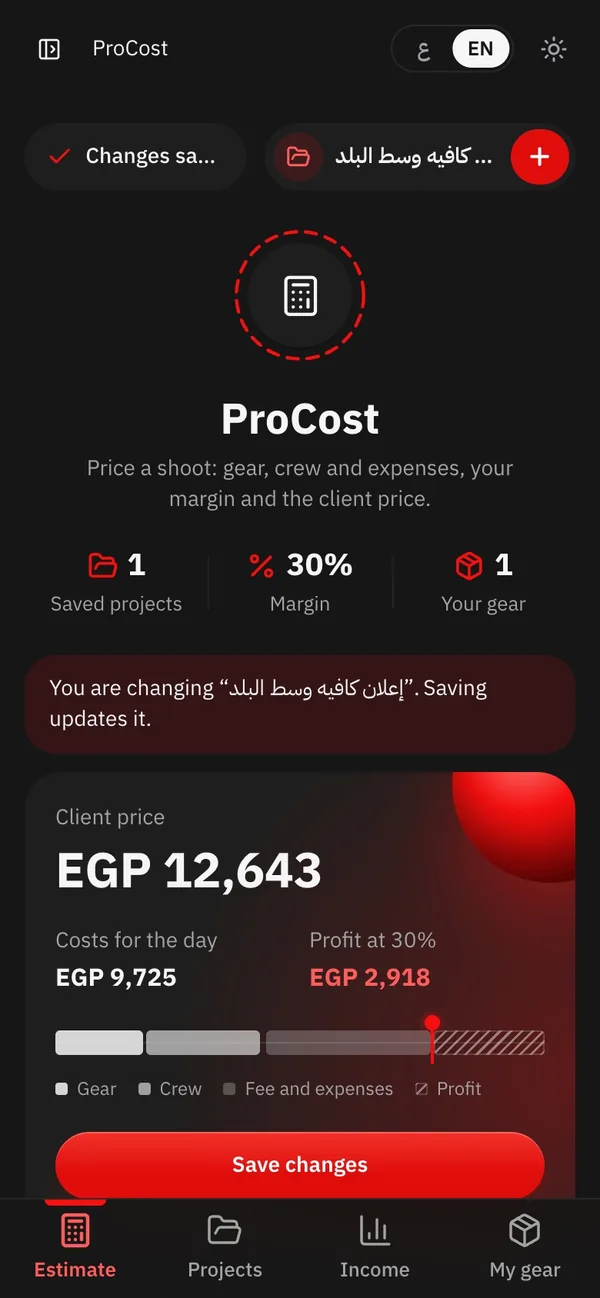
ProCost on a computer
ProCost on a phone

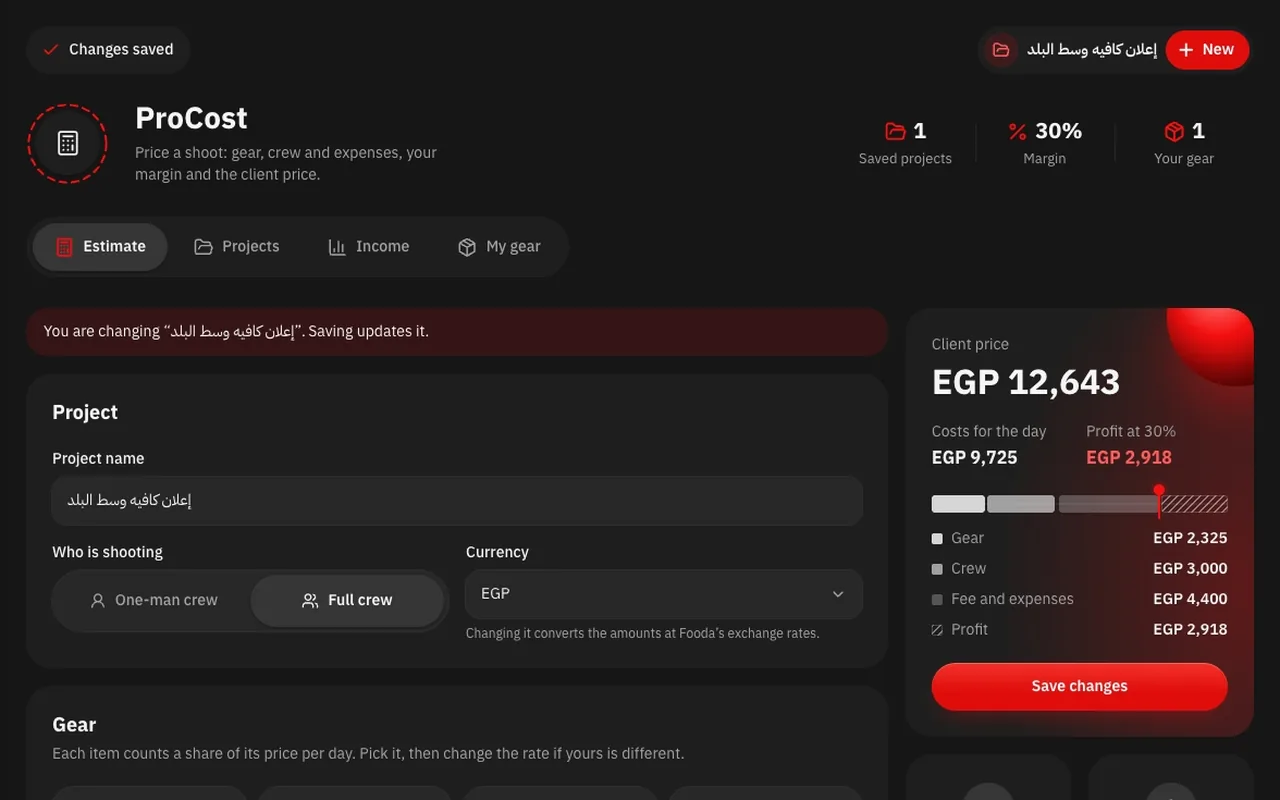
ProCost

Price the shoot before you quote the client

Pick the gear, the crew, the expenses and your margin, and ProCost works out the client price, your profit and where every pound goes.

  • Cameras, lenses, lights and crew ready at day rates, plus your own gear
  • A PDF for the client with the costs only, or one for you with the profit
  • Save your projects and follow your income month by month
  • In pounds, dollars, riyals or dirhams
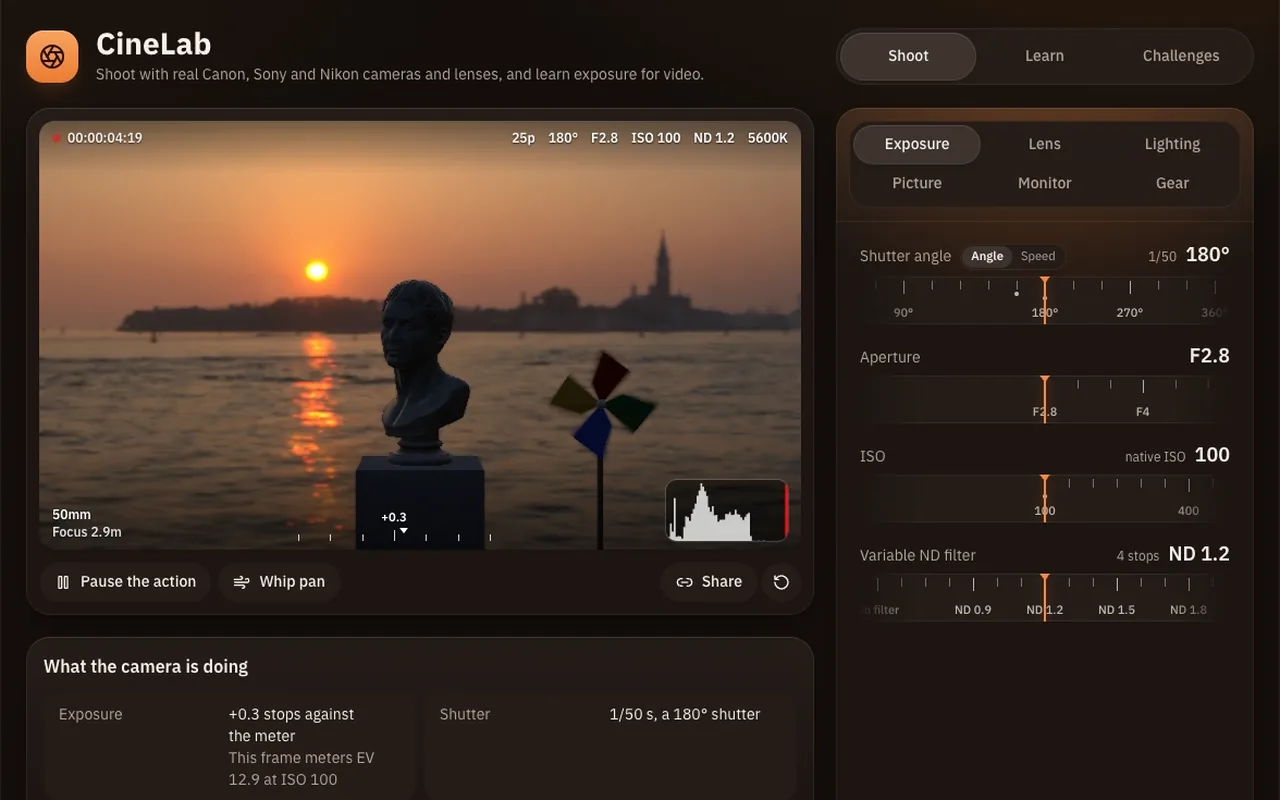
CineLab on a computer
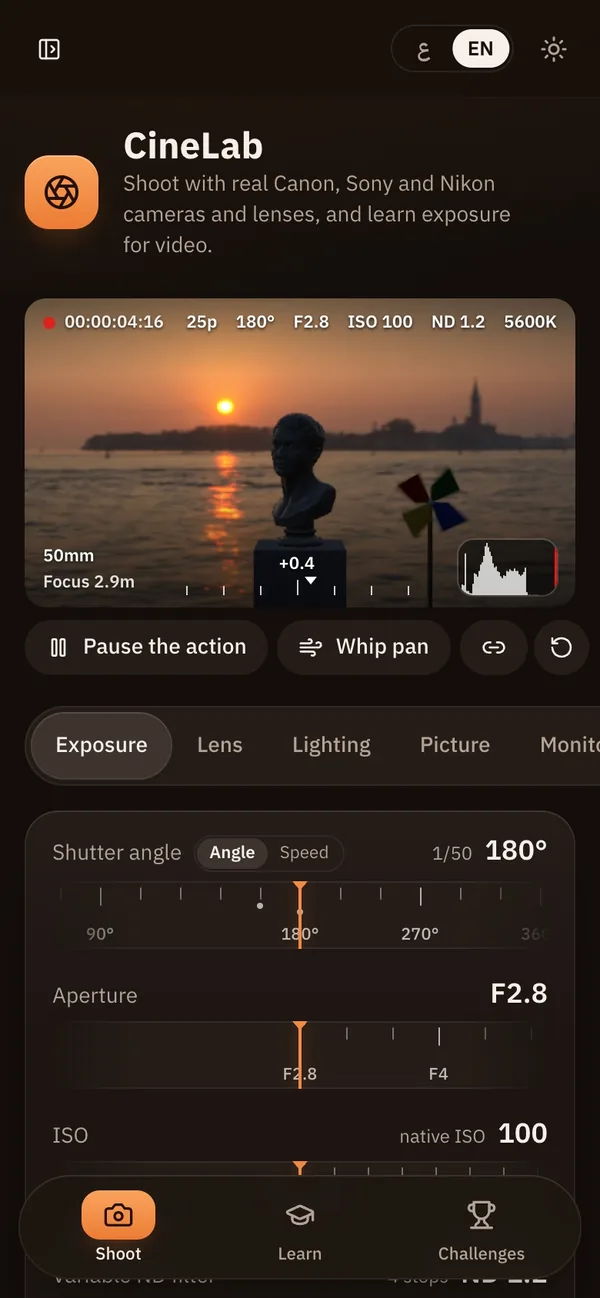
CineLab on a phone

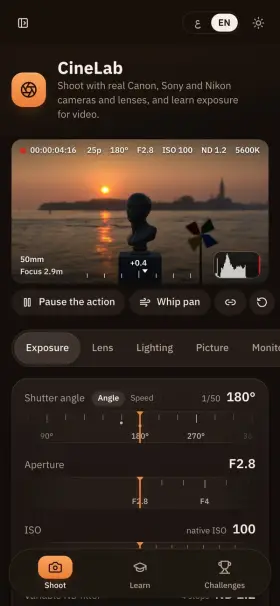
CineLab

Practise the camera and the lighting before you get to the location

A simulator with real Canon, Sony and Nikon cameras and lenses in 3D scenes. Change the shutter, aperture, ISO and ND and watch the picture change.

  • False colour, zebras, waveform and histogram, like an on-set monitor
  • Real lights and well-known setups like Rembrandt and butterfly
  • Short lessons and star-rated challenges from beginner to pro
ProInvoice on a computer
ProInvoice on a phone

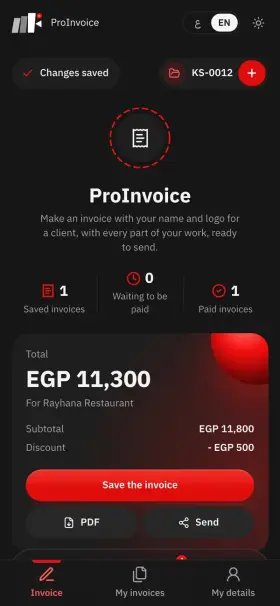
ProInvoice

Give your client an invoice with your name and logo

Write the lines of your work, the discount and the tax, and ProInvoice adds it up into a PDF you send the client from your phone.

  • Ready lines: shoot day, editing, colour grading, sound
  • Your logo and one of 6 colours, in Arabic or English
  • Send it on WhatsApp or by email from your phone
  • Mark it paid and the money counts in ProCost
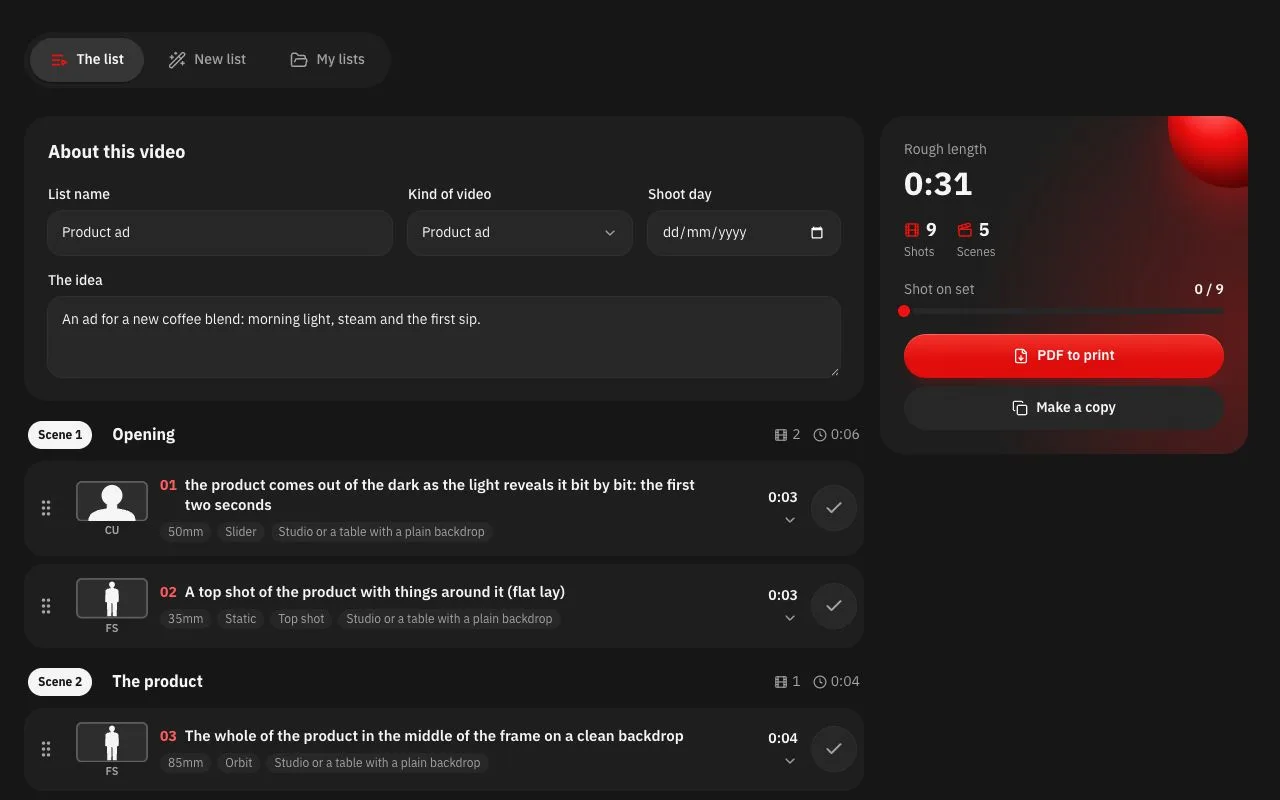
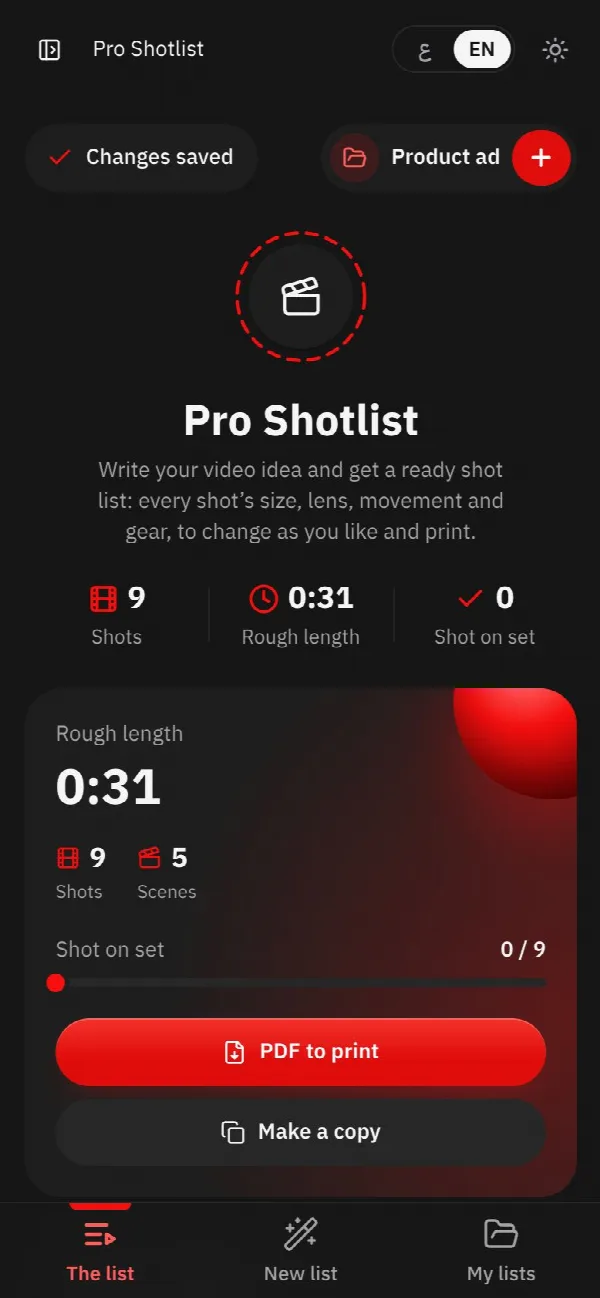
Pro Shotlist on a computer
Pro Shotlist on a phone

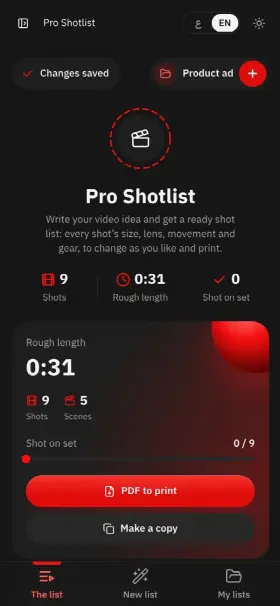
Pro Shotlist

Turn a video idea into a ready shot list

Write your idea and pick the kind of video, and Pro Shotlist gives you a shot list with each shot's size, lens, movement and gear, to change as you like and print for the crew.

  • Ready templates: ads, interviews, weddings, reels, documentaries and music videos
  • Shot size, lens, movement and gear for every shot
  • Drag the shots into order and print a PDF for the crew
  • Try any shot in CineLab in one tap
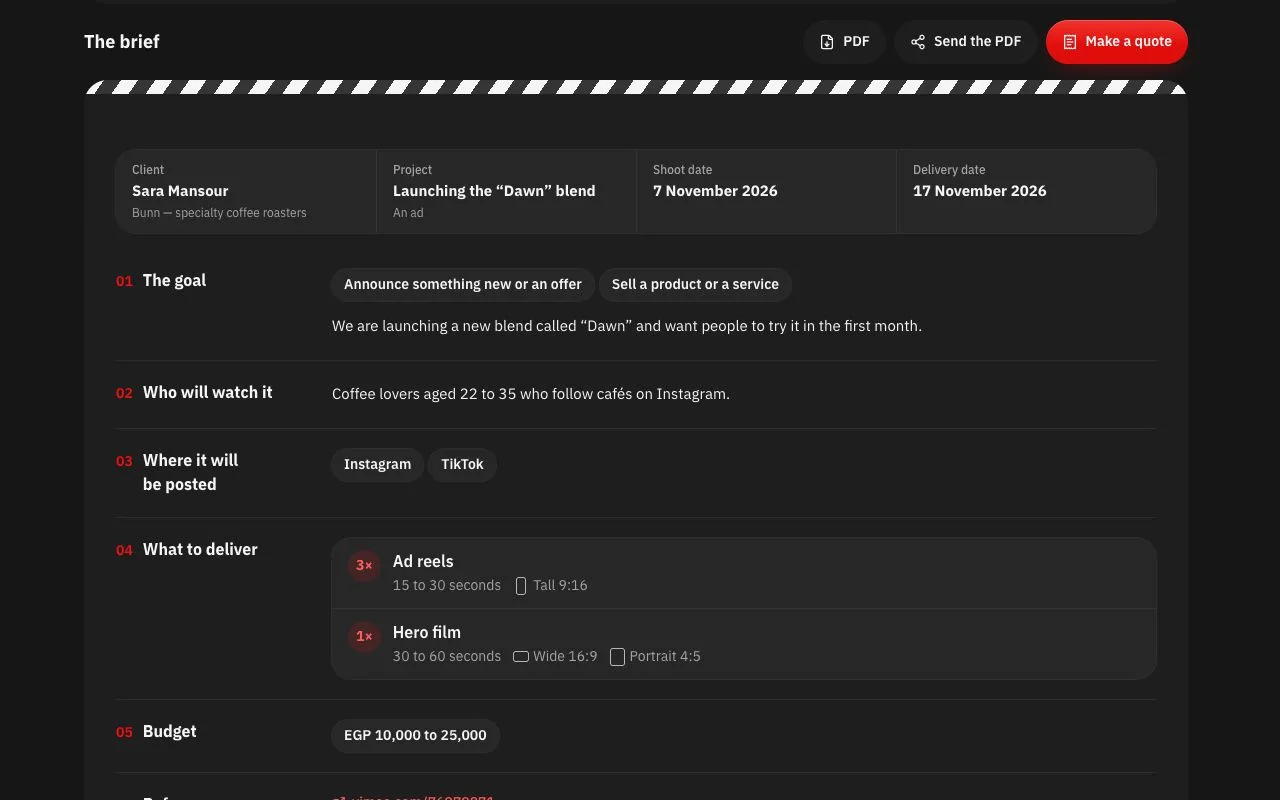
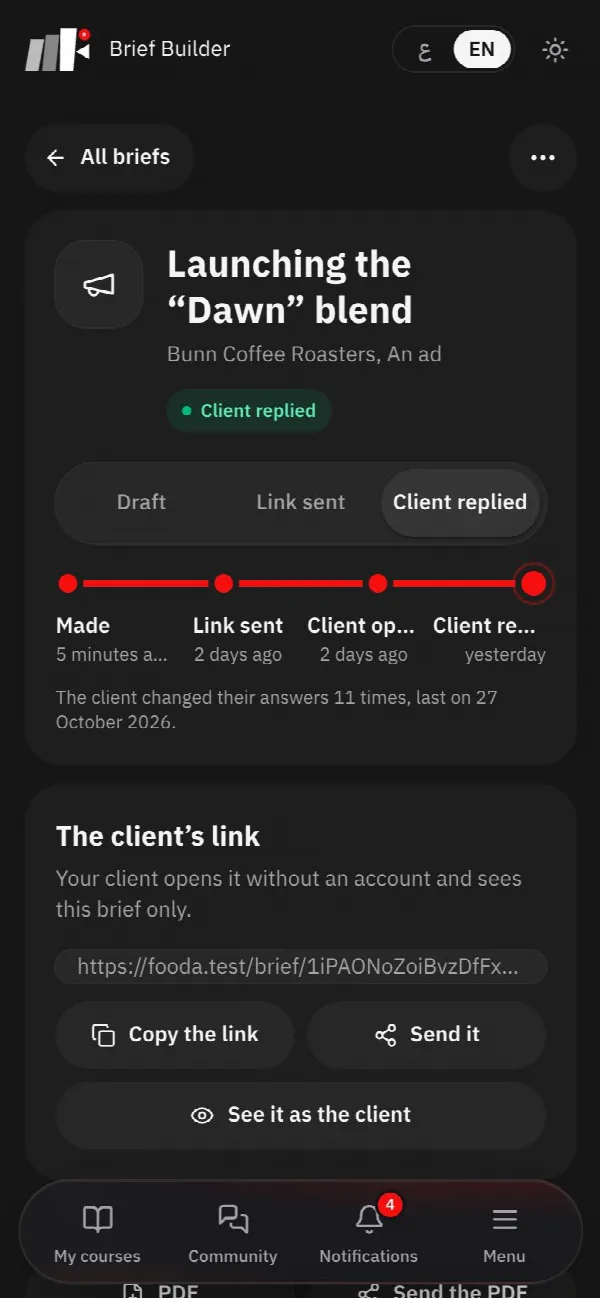
Brief Builder on a computer
Brief Builder on a phone

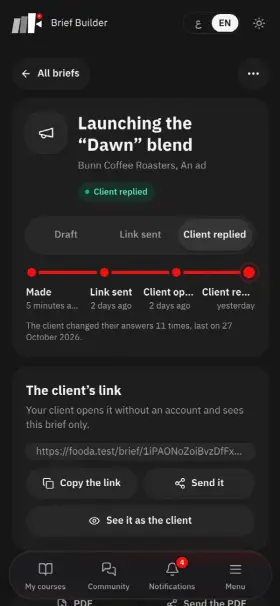
Brief Builder

Know what the client wants before you shoot

Send your client a link with simple questions, and Brief Builder turns the answers into a clear brief: the goal, the audience, the platforms, the references, the deliverables and the budget.

  • The client answers without making an account
  • Ready questions for each kind of project
  • A tidy brief with your name and logo, to print or send as a PDF
  • Turn it into a quote in ProInvoice in one tap
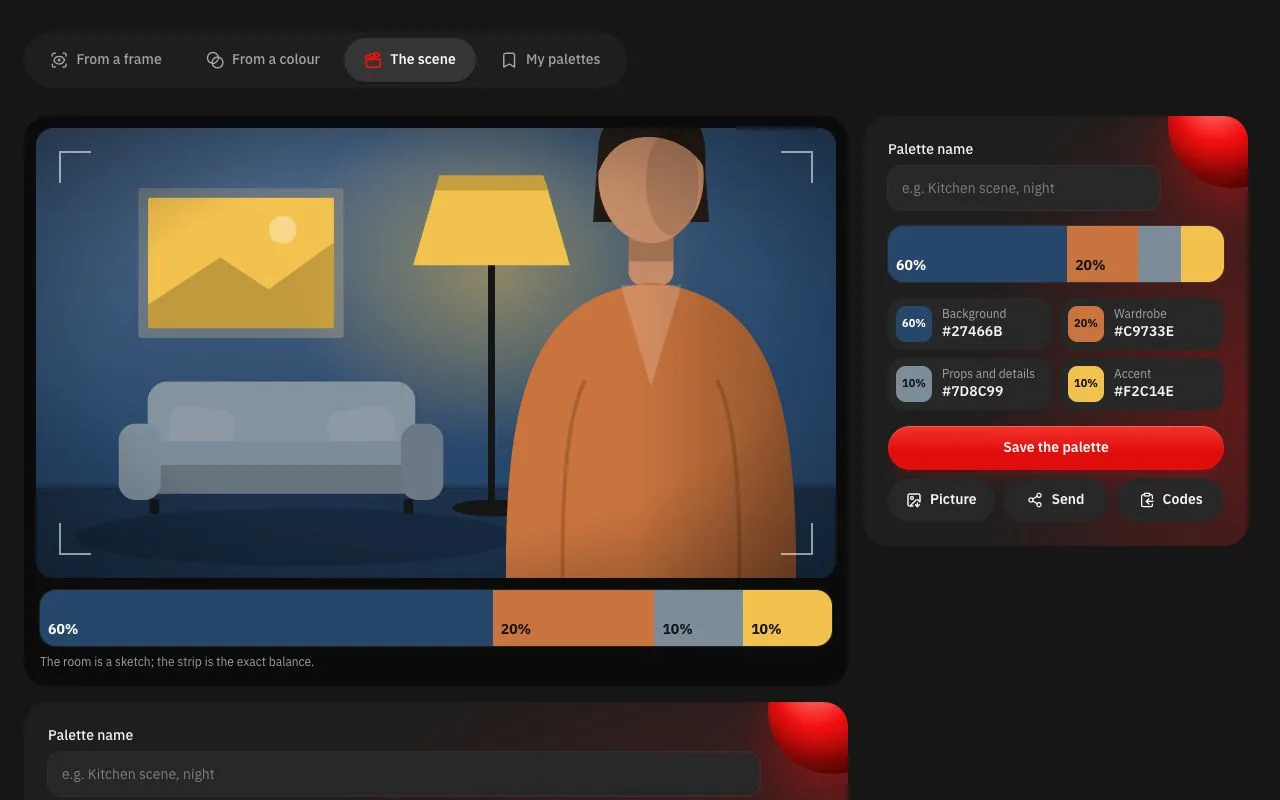
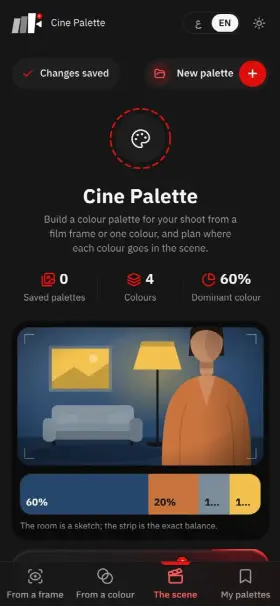
Cine Palette on a computer
Cine Palette on a phone

Cine Palette

Pick your scene's colours before the shoot

Take the colours from a frame you love or build a palette from one colour, and Cine Palette tells you where each colour goes in the scene and how much of it.

  • Drop in a reference frame and see its colours and how much of each
  • Matching palettes by mood: warm, cool, dramatic
  • The 60/30/10 rule: background, wardrobe, details and accent
  • Save the palette and share it with the crew as an image
ProCut Premiere Pro v1.3.0
  • Automatic captionsTurns speech into text with AI
  • Smart cutsRemoves silences and repeated takes automatically
  • YouTube chaptersWrites ready-made chapters with AI
  • Project tidy-upSorts your files into folders automatically
  • Export presetsSaves each platform's settings in Premiere (YouTube, Reels, TikTok) and applies them in one click

ProCut

A gift with your subscription: the ProCut editing add-on free for 24 months

An add-on inside Premiere that does the repetitive work

ProCut runs inside Adobe Premiere Pro and saves you hours of manual editing.

  • Automatic captions from speech
  • Cuts out silences and repeated takes
  • Ready-made YouTube chapters
  • Works on Windows and Mac

What students say

Hear it in their own voice

  • Saleh Shaker

    0:00
  • Mostafa Hosny

    0:00
  • Hassan Wafy

    0:00
  • Naeem Al-Mursi

    0:00
  • Mahmoud Gamal

    0:00
  • Abdelrahman

    0:00
  • Abdelrahman Ghandour

    0:00
  • Ahmed Raafat

    0:00

How do you get the most out of it?

Understand the thinking, try it yourself, and know you're doing it right

This course isn't about memorising or flimsy old information. It's a real journey that starts with deeper understanding, moves to hands-on practice and ends with real results you can use to raise your work and present it with confidence.

How to join

  1. Choose your course

    Pick the course that suits you and start learning and growing

  2. Pay your way

    Choose the payment method that suits you and complete your subscription

  3. Get your login

    Your login details arrive once your subscription is confirmed

  4. Start learning

    Sign in to the platform and start watching and practising right away

Investment plans

Invest in your skills

Different plans, one goal: deeper understanding and real experience. Choose what suits you right now.

  • The full course

    Without follow-up

    All nine courses, fully self-paced

    • All nine courses of the full system (9) (included)
    • Free ongoing updates to the full system (included)
    • Keep the courses for two years (first 100 subscribers) (included)
    • 48-hour money-back guarantee (included)
    • Brief Builder Tool (included)
    • Exclusive community with regular follow-up to answer questions (not included)
    • Ongoing reviews of your work and help when you ask (not included)
    • LUTs colour files and SFX sound files (not included)
    • Pro Cut (captions) subscription for 24 months (not included)
    • CineLab Simulator for Cinematic Training (not included)
    • ProInvoic to generate invoices (not included)
    • ProCost to track your project profits. (not included)
    • Cine Palette — Scene Color Palette (not included)
    • Pro Shotlist Tool (not included)

    But today, until places fill up, it's only

    $170

    Launch offer on the new package for the first 100 subscribers

The golden guarantee

Get your money back, no questions asked, within 48 hours of joining, as long as you haven't watched more than 5 lessons.

  • 48-hour guarantee
  • No questions asked
  • 💯 Full refund

Why this system?

3 ways to learn, only one works

Feature Fooda Academy Fooda Academy Traditional courses YouTube
Practical content, no distractions Yes No No
Real projects behind the scenes Yes No No
Regular follow-up, corrections and support Yes No No
An active community of professionals Yes No No
A clear, organised path Yes No No
Money-back guarantee Yes No No
ProCut editing add-on subscription Yes No No
Regular, ongoing updates Yes No No
Professional LUTs & SFX Yes No No
A live session during the support period Yes No No

Our students' work

  • عبد الرحمن جمال

    Student work
  • عبدالرحمن

    Student work
  • عبدو السمان

    Student work
  • محمود جمال

    Student work
  • سلمان حسن

    Student work

What students say

Content with a real impact

Content built with love and given sincerely, with a real impact on videographers of every level.

  • Khaled Ibrahim Videographer
    I'm only about a quarter of the way through Mahmoud Fooda's shooting and lighting course, and what I've learned has already made a big difference. I've used my camera for about four years, and this is the first time I discovered settings inside the camera that could lift the image quality like this. The camera settings part made me understand the numbers instead of memorising them. But what really impressed me was building the lighting: setting up the right lighting for the place, the angles, and controlling the shadows. Honestly, this course is a treasure.
  • Mahmoud Magdy Content creator
    Thank you, Fooda. It's one of the best courses I've watched, from the basics of shooting to cinema language and pre-production. The part I got most from was lighting, because it was explained so clearly and practically.
  • Sameh Owainat AI specialist
    I'm Sameh Owainat, known for my AI work. Why would someone like me take a filmmaking course? Because every scene, even one made with AI, has to rest on real understanding: a good frame, the right lens, proper lighting and a well-chosen location. That's the foundation of any professional work. The course added a lot for me, and Fooda's effort shows in every detail.
  • H Hossam Emara Photographer
    I've taken lots of courses, lectures and sessions from professionals, and I find yours truly one of a kind, full of great information.
  • M Mahmoud Gharib Videographer
    I came in with a decent background and thought I'd just watch the behind-the-scenes, but every lesson surprised me with something useful. In the lighting lesson, for example, I knew about CRI and nothing more; now when I buy lights I actually understand them instead of knowing a few numbers.
  • Mahmoud Tolba Editor
    One of the simplest, easiest explanations I've had, like we're sitting together and you're just talking it through. The course makes you want to get up and try everything right away. A to Z, plus the support I get whenever I'm stuck.
  • Mostafa Kandil Photographer
    The course is excellent. You can see the effort in it, and the teaching is so simple and smooth that anyone, even with no background, can follow. Every point is explained calmly with clear examples. Anyone who joins will save themselves a lot of time.
  • M Mahmoud Gamal Videographer
    I was just telling my editor friends today that this is the best investment in a filmmaking course with a trainer. I haven't watched it all yet, but whatever I look for, I find, and the way it's organised is brilliant.
  • M Mostafa Diab Director
    I've been a director for 12 years, and the course still showed me a lot I didn't know. Whatever your level, it will help you, and everything is explained in detail.
Mahmoud Fooda

Mahmoud Fooda Director and director of photography

Your trainer

Who is Mahmoud Fooda?

Mahmoud Fooda is a documentary and commercial director and director of photography. In 2023 he founded Pluto Frame, a media production company specialising in documentaries, brand and commercial films, which brings brands and stories to life with a cinematic look and an emotional drive.

Since 2020 he has shared his filmmaking journey online through educational content, behind-the-scenes looks and practical storytelling tips, inspiring thousands of videographers and filmmakers.

After years of hands-on experience as a one-person filmmaker, Mahmoud chose to turn what he knows into a course focused on real-world filmmaking and cinematic storytelling.

students
600+
years of experience
10+
lessons
100+
Mahmoud Fooda
1-to-1, online

1-to-1 consultation

Want Mahmoud's eye on your own work?

A private online hour with Mahmoud Fooda: show your work, ask what's been holding you back, and leave with a clear plan.

  • A review of your work or your reel
  • Camera and lighting for your next shoot
  • Pricing your work and a plan for your path

Not available right now

Remind me when they open

Why this system?

Before you decide, we've answered your questions

Is the course suitable for beginners?

Yes, the course is designed for every level.
Whether you're a beginner who wants to learn video from scratch or you have experience and want to grow to a professional level.

It starts with the basics, explained clearly and simply, then moves step by step to advanced techniques and practical exercises that help you improve and build your own style.

Will I be able to make videos like Fooda's, or like the projects in the course?

Absolutely, you can reach that quality
because the course doesn't just show you the result, it takes you fully behind the scenes, step by step.
I share every last detail of the work I do, from the thinking, the preparation, the gear and the lighting to the final shot, so you understand how this work is really made instead of just watching it.

Will I build a portfolio during the course?

Yes, during the course you'll shoot practical projects that help you build a strong portfolio showing your video skills.

You'll learn how to choose the right shots and present your work professionally, ready to show clients or add to your accounts and platforms.

What if I have a question after a lesson?

Let me be clear: your place is reserved in the masterclass's private community, and I'll answer any question you have in a detailed, practical way, as you're used to from me.

Whatever plan you chose, your place in the community is reserved.

Will new content be added later?

Yes, new lessons and content are added regularly, open to every subscriber at no extra cost for the length of their subscription.

Will it help me as a photographer, or a content creator working at a company?

Yes, the course doesn't focus on one kind of shooting. It builds a complete understanding of the craft of video, so you can apply it to ads, content, documentaries, content creation or any other kind of video production.

Will I get a certificate when I finish?

Yes, you get a certificate as soon as you finish all the lessons.

Is there a money-back guarantee?

Don't worry: you have a 48-hour guarantee to get your money back in full if you haven't finished 5 lessons of the course and didn't find what we promised. Just email us at [email protected] and we'll refund you.

Don't skip this part

What will change
in 15 days?

You'll hold the camera understanding every detail, stand on location able to deliver a video that wows your client, and your portfolio will be so strong they ask for you by name. If you don't take the chance, 15 days, maybe 15 months, will pass and your work will stay the same.